

Run an Example#
In this example we fuse data from the 3DMatch dataset.
- download_test_dataset:
From the nvblox base folder run
cd build/nvblox/executables
./fuse_3dmatch <PATH>/3dmatch/sun3d-mit_76_studyroom-76-1studyroom2/ \
  mesh.ply
This produces an output mesh file mesh.ply in the current directory.
We can view the mesh using the Open3D viewer.
Note
If Open3D is not available for your platform, any tool that can visualize PLY files (such as CloudCompare and Meshlab) may be used instead.
First we need to install Open3D.
sudo apt-get install libglib2.0-0 libgl1
pip3 install open3d
Then visualize the mesh
open3d draw mesh.ply
You should see a mesh of a room:
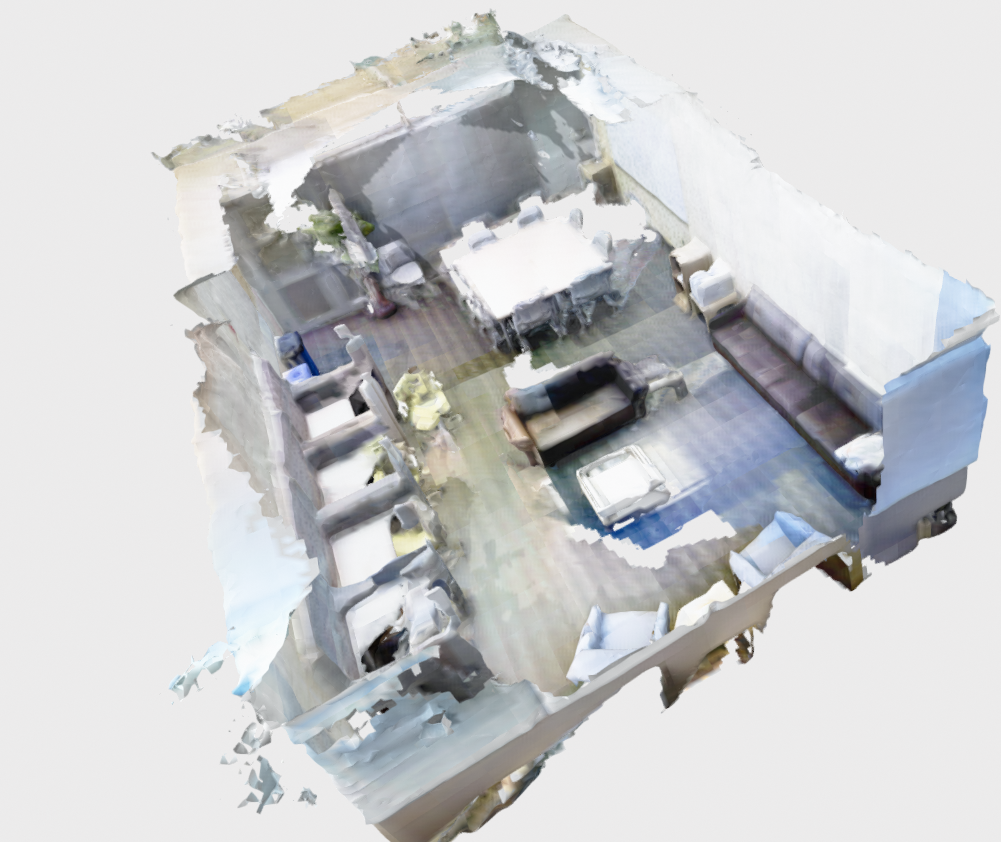
More examples of running nvblox on datasets are given in More Examples.